1
Use a device you already have
Pick a phone or tablet you already have and give it one clear job: your child's wake-up clock.
For toddlers and preschoolers
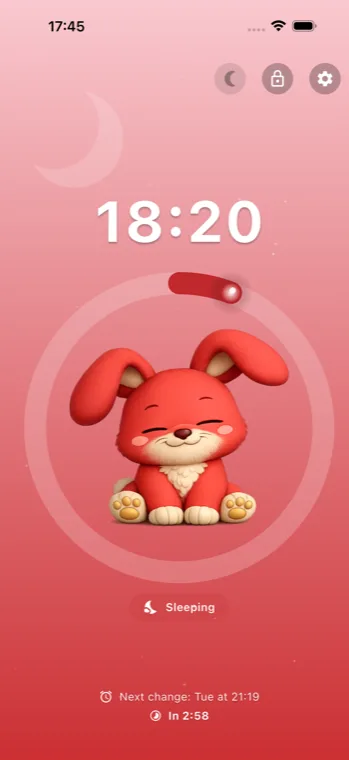
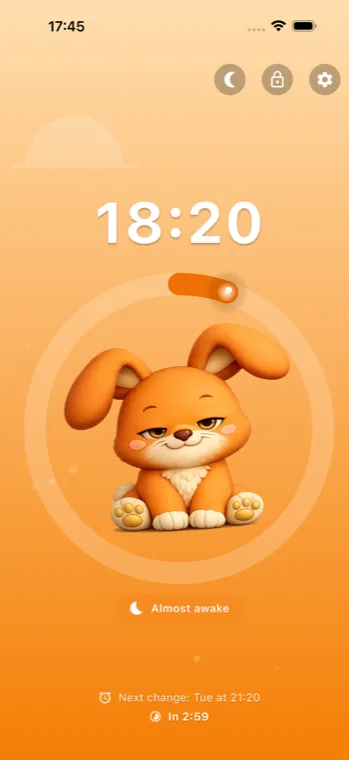
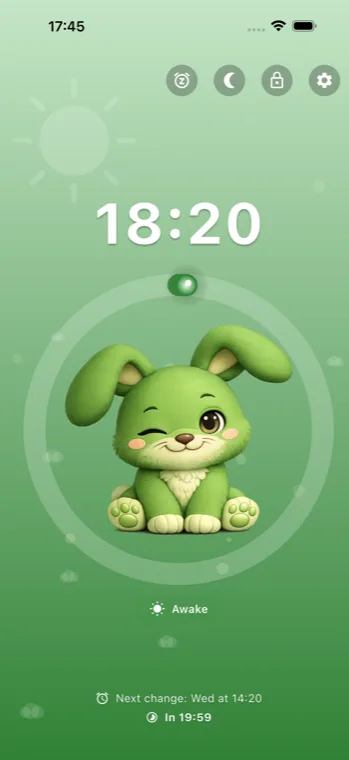
The kids wake-up clock runs on a phone or tablet you already own. You set the times; your child sees from the colour and the picture whether it is morning yet.
For phones and tablets.
If you already have a phone or tablet at home that you can reuse, you may not need a separate device at all.
The practical choice
For many families, the app is the simpler answer: use a device you already own, skip another purchase, and keep the same routine at home and away.
| Feature | Kids Wake-Up Clock app | Physical sleep trainer |
|---|---|---|
| Price | $1.99 one-time | Avg. $51.99 (range $34.99 to $79.99) |
| Extra device needed | No, use a phone or tablet you already have | Yes, separate hardware required |
| Travel and sleepovers | Bring the same routine on the same familiar device | Pack and reset extra hardware |
| Clock view | Choose digital, analog, or both | Limited by one device design |
US sample products: Hatch Rest, LittleHippo Mella, Frida Baby 3-in-1, and Tommee Tippee Groclock (prices as listed in September 2026).
Trademarks belong to their respective owners.
Young children do not always understand time, but they do understand simple visual cues. A kids wake-up clock helps them see whether it is still sleep time or whether it is okay to get up.
1
Pick a phone or tablet you already have and give it one clear job: your child's wake-up clock.
2
Choose sleep time, almost time, and wake-up time for weekdays, weekends, or both.
3
Put the device on the charger and turn on the child lock — tapping then changes nothing. If you also want to stop your child leaving the app, use Guided Access.
You choose the times and the sound. Your child only sees the clock.
Lock the screen so tapping changes nothing. When the alarm goes off, your child turns the sound off with one big button.
Pick a sound from the app, or find one online that your child likes. The sound is saved on the device, so the alarm keeps working without internet.
Pair your phone with the wake-up clock and change times without picking up your child's device.
The clock dims itself while your child sleeps, so it doesn't light up a dark room. Choose soft or dark, or leave it off.
Every phase says it twice. The character in your theme is asleep, waking or wide awake, and the background shows a moon, a rising sun or a full sun. The clock reads without relying on colour.
Start a nap with one tap. The clock turns red for as long as you choose, then picks the normal schedule back up.
Use digital, analog, or both and keep the same routine every day.
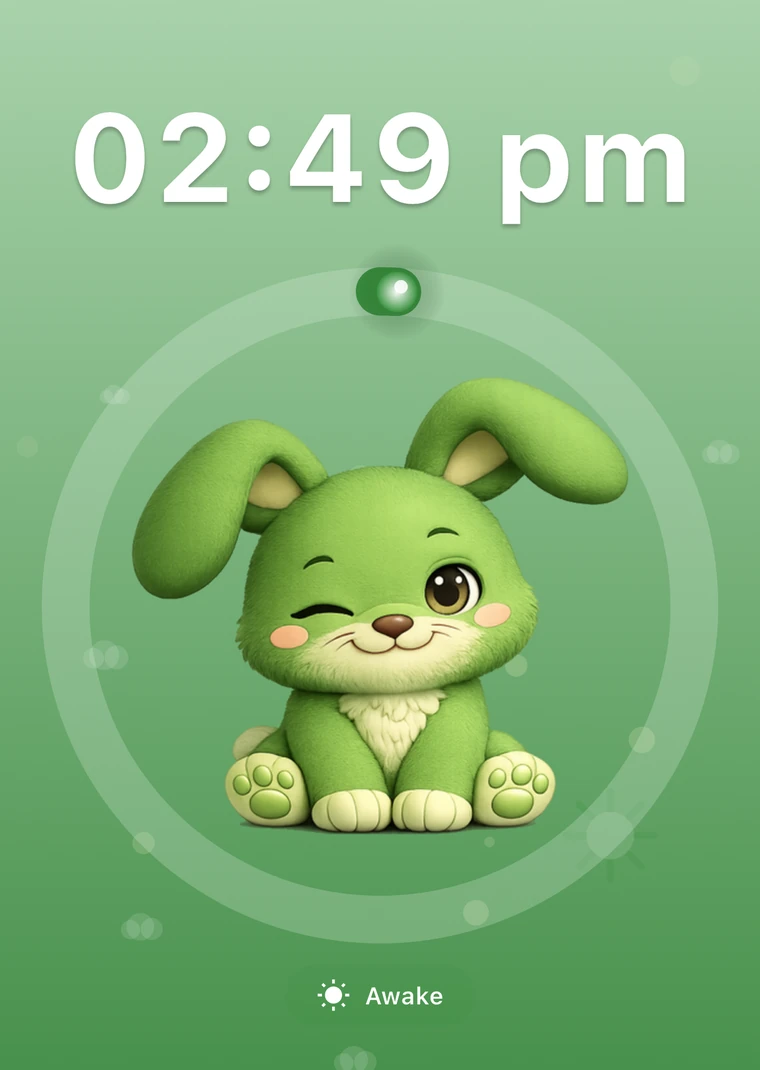
Large clear numbers for children who respond well to a digital clock.
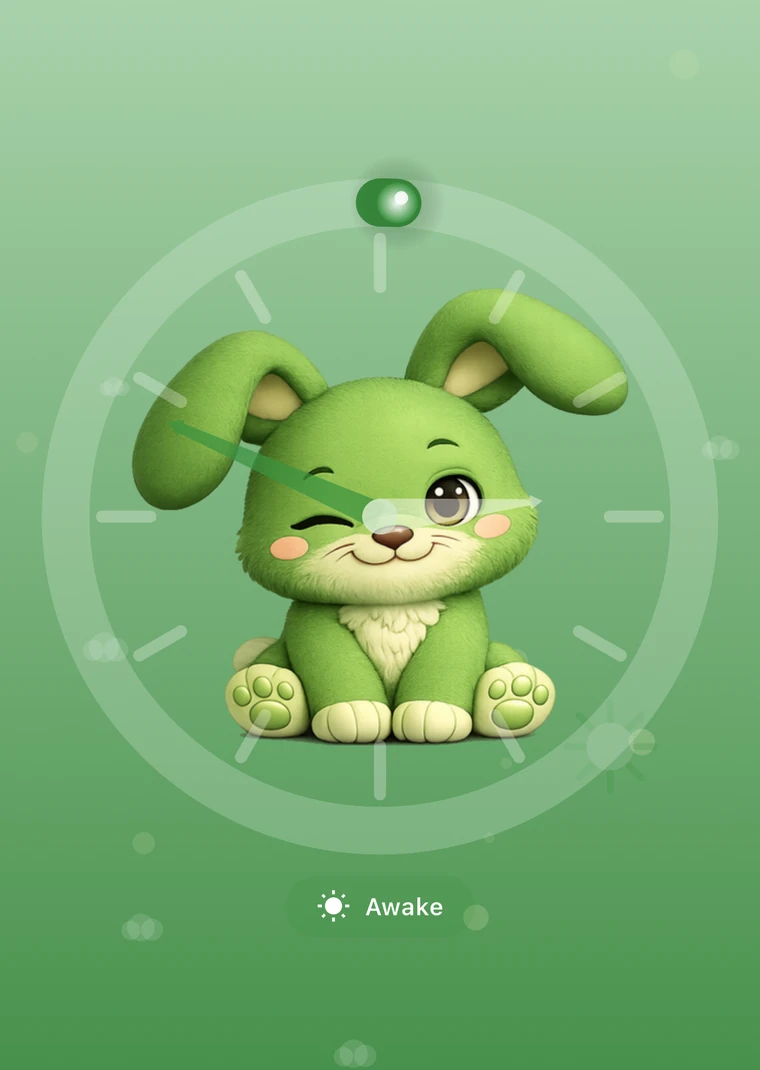
A classic clock face for children who understand the dial more easily.
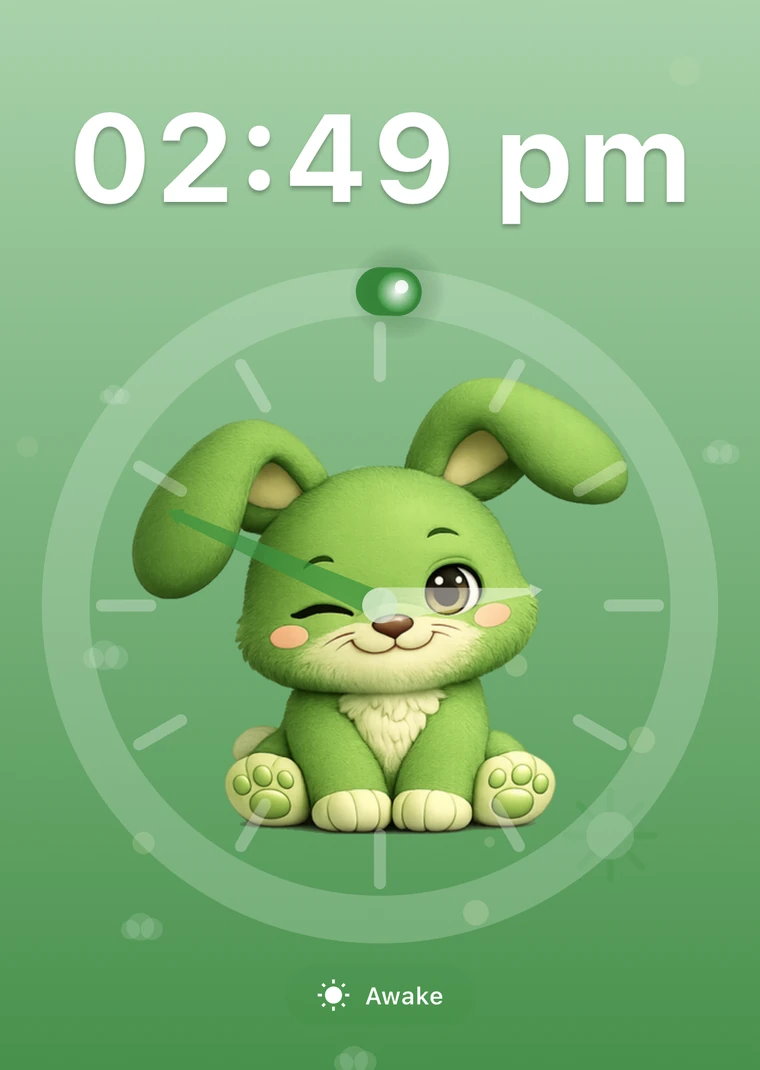
Show hands and digits together so you can use the clearest visual routine.
Keep mornings simple with the same clear visual cue in the same fixed spot every day.
Bring the same familiar device to grandparents, hotels, and sleepovers without packing another sleep trainer.

Old device
See why reusing a spare device is the simplest setup for many families.

Comparison
Compare the app with a separate physical sleep trainer.

Decision help
See when an app is smarter and when a separate device fits better.

A kids wake-up clock uses clear visual cues to show whether it is still sleep time or time to get up.
Yes. The app is on the App Store and Google Play. Use any phone or tablet that stays in one fixed place as the wake-up clock.
Not with the child lock on. The screen stops responding to taps. Only when the alarm goes off does a big button appear to turn the sound off.
Yes. Pair your phone with the wake-up clock once using a QR code. After that you change times and sounds without picking up your child's device.
Yes. Toddlers often respond better to simple visual routines than to clock time alone.
Yes. Using the same familiar device can make routines easier to keep during vacations and sleepovers.
Use a phone or tablet as a kids wake-up clock and keep things simple.