
1
Pick the spare device
Use an old iPhone or iPad that can stay in one fixed place in your child's room.
Reuse old hardware
If you already have an old iPhone or iPad at home, you may already have everything you need for a simple toddler wake-up routine. Have an old Android phone instead? That works just as well — the app is on the App Store and on Google Play.
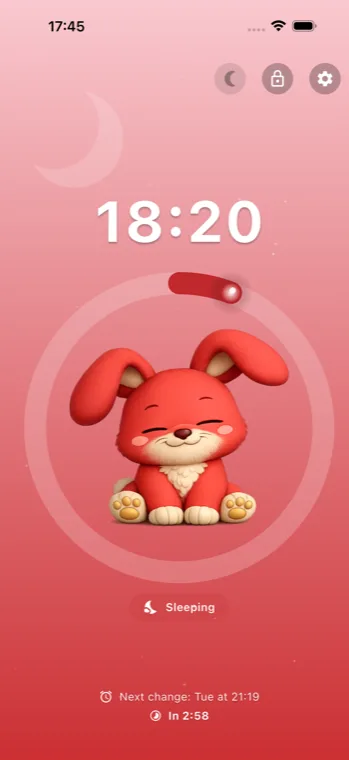
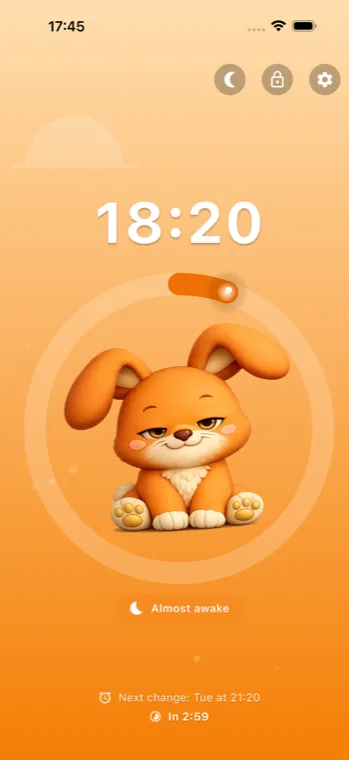
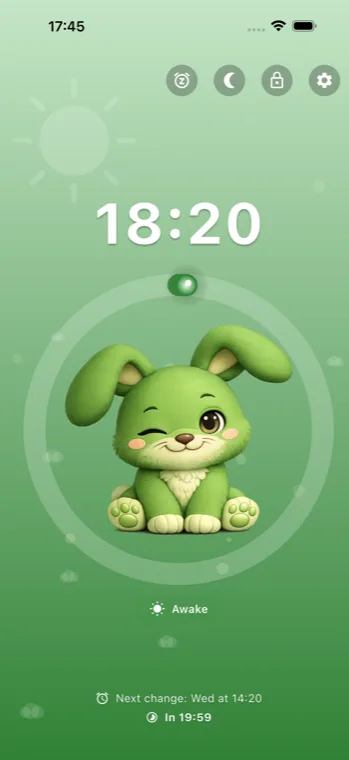
Instead of buying another device, you can reuse what you already own and turn it into a clear visual clock for mornings, bedtime, and early wake-ups. For many families, that is the simplest way to start.
1
Use an old iPhone or iPad that can stay in one fixed place in your child's room.
2
Choose sleep time, almost time, and wake-up time for weekdays, weekends, or both.
3
Put the device on the charger and turn on the child lock, so taps do not change the alarm. If you also want to stop your child leaving the app, use Guided Access.
It is practical, low-friction, and cheaper than buying a separate sleep trainer. The device is already familiar and easy to move when needed.
Young children often understand clear visual signals faster than clock time. The routine stays simple: look at the screen and follow the color and clock cue.
The clock dims itself while your child sleeps, so a screen that stays on all night doesn't light up the room. Choose soft or dark, or leave it off.
The app is less than half its old size, so it still fits when an older device is running short on space.
The same spare device can travel with you, so your child sees the same routine away from home.
Turn an unused phone or tablet into a wake-up clock instead of adding another product to your routine.
Grandparents, hotels, and sleepovers feel more predictable when the same familiar clock comes with you.
Yes. That is one of the easiest ways to set up a kids wake-up clock without buying another device.
Yes. An old iPad can work well if you want a larger screen in a fixed place.
It is cheaper, simpler, and easier to keep consistent across home, vacations, and sleepovers.
Download the app and set up a clear visual routine in minutes.